HD Ready vs Full HD TV: Which One Should You Buy in 2026?
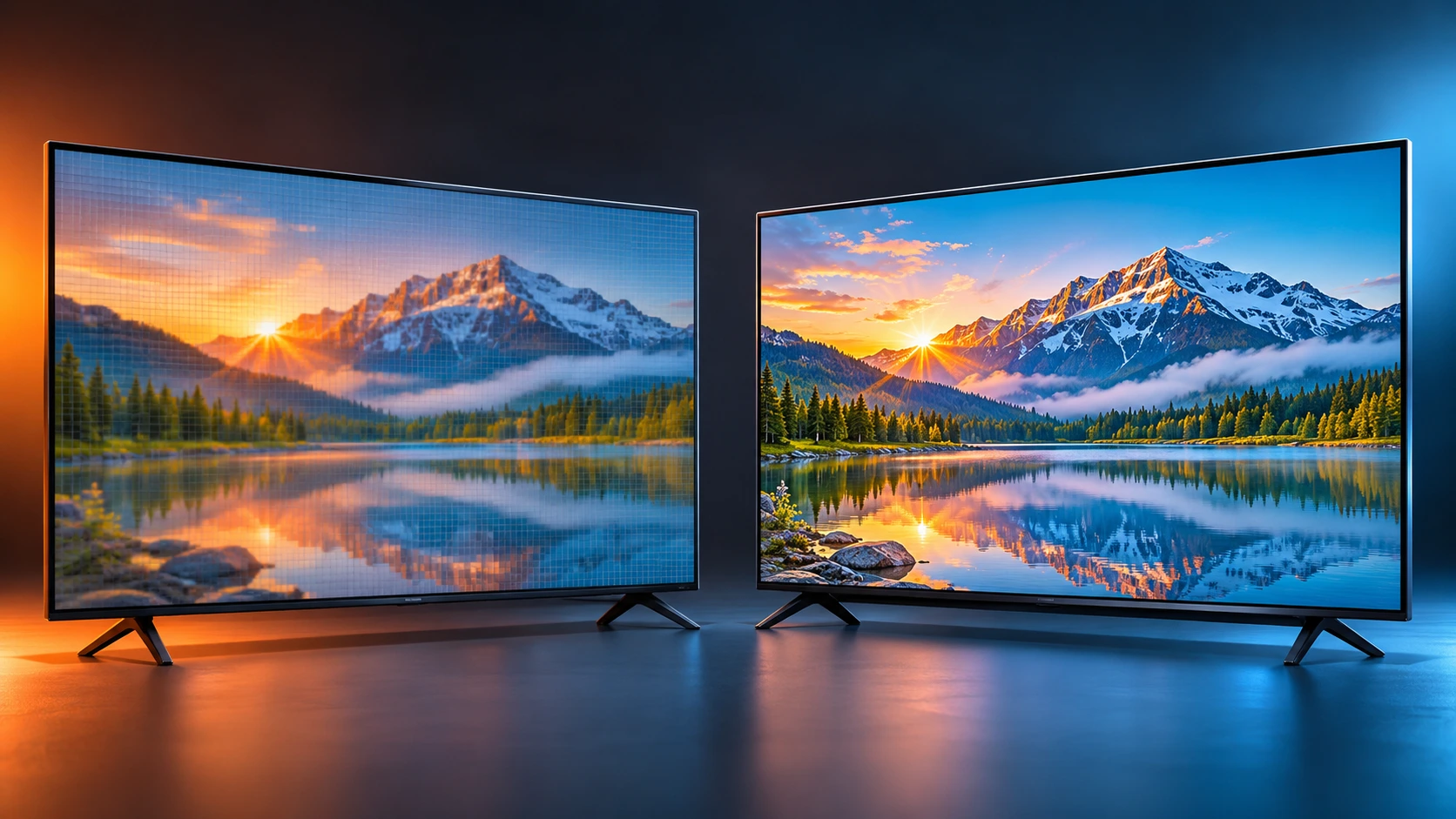
Short version: on a 32-inch TV watched from a normal seat (about 6 feet or more), HD Ready and Full HD look almost the same. Full HD starts to matter when the screen is bigger, you sit closer, or you connect a laptop or console. Let's check that properly, so you don't pay extra for something your eyes can't see.
01 What do "HD Ready" and "Full HD" actually mean?
Both are just names for how many pixels a TV screen has. Pixels are the tiny dots that make up the picture. More pixels means more detail, if you can see it.
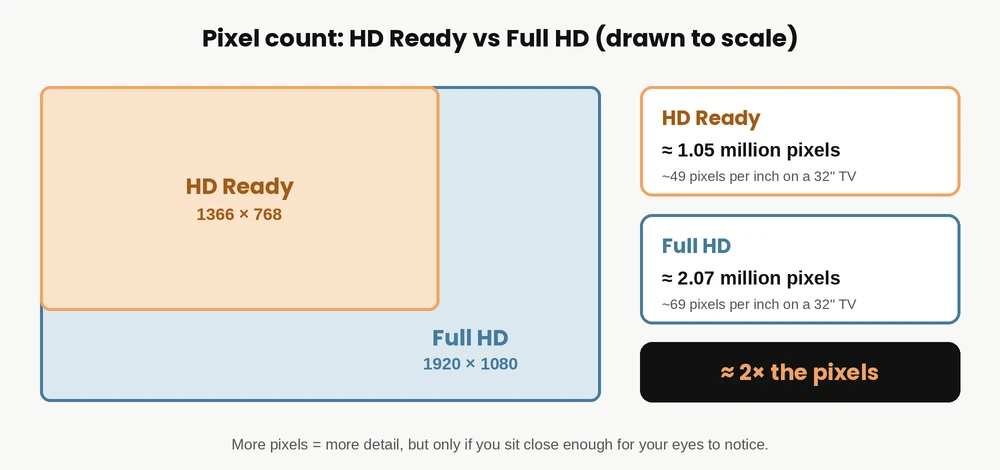
- HD Ready is usually 1366 × 768 pixels (about 1 million in total). Some small TVs use 1280 × 720, which is also called "HD" or "720p".
- Full HD is 1920 × 1080 pixels (about 2 million in total), also called "1080p".
So Full HD has roughly twice the pixels of HD Ready. The next question is the important one: does your eye notice that extra detail on your TV, in your room?
02 HD Ready vs Full HD at a glance
| Feature | HD Ready | Full HD |
|---|---|---|
| Resolution | 1366 × 768 (720p class) | 1920 × 1080 (1080p) |
| Total pixels | About 1.05 million | About 2.07 million |
| Sharpness on a 32" screen | About 49 pixels per inch | About 69 pixels per inch |
| Usually found in | 24" to 32" budget TVs | 32" and above (43" TVs are mostly Full HD or 4K) |
| Price | Usually lower | Usually a bit higher |
| Best for | Bedroom, kitchen, kids' room, regular TV and YouTube | Closer viewing, PC or console use, bigger screens |
03 Screen size and distance decide everything
Your eye can only separate two tiny dots up to a certain distance. Beyond that, the dots blend together and extra pixels don't add anything you can see. This is why resolution only really pays off when the screen is large or you sit close. [1]
Using the standard 20/20 vision rule, here is roughly how far away you can sit before an HD Ready panel and a Full HD panel look the same:
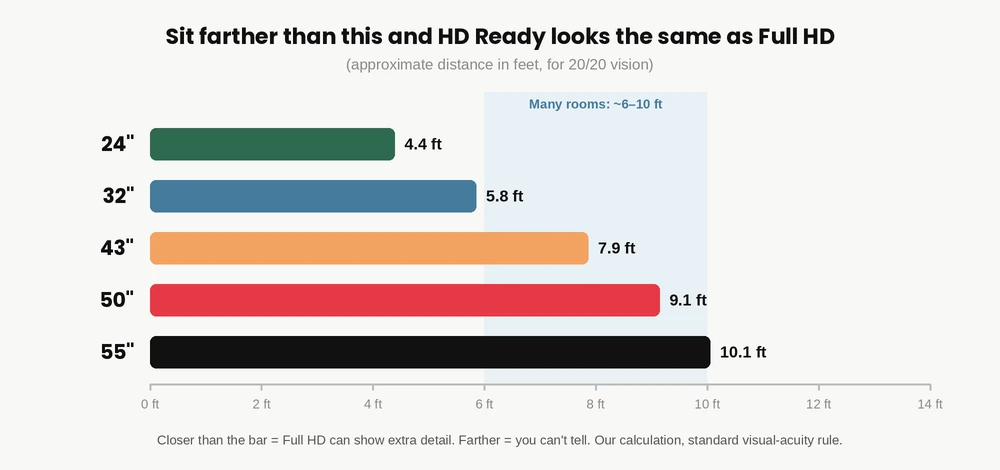
What this means in simple words: on a 32-inch TV, if you sit about 6 feet or more away, the extra Full HD pixels are mostly lost on your eyes. On a 24-inch TV that distance is even shorter, around 4 to 5 feet. Only when you sit closer than that, such as using the TV like a monitor, does Full HD show a clear gain.
Also notice that bigger TVs push the number up. That is why Full HD (or 4K) is the sensible choice from 43 inches onward, and why most TVs of that size already come in Full HD or better. Not sure which size suits your room? Read our 32 inch vs 43 inch guide.
04 Will you really notice it in daily viewing?
A TV can only show the detail that the content actually has. A few real-life examples:
- DTH and cable channels: many regular channels are standard definition, and even the HD channels are not always full 1080p. No panel can add detail that was never there.
- YouTube and OTT apps: the picture quality depends on your internet speed, the quality setting and, on some apps, your subscription plan. Check that your plan actually gives you HD or Full HD.
- Phone, laptop or console: this is where Full HD helps most, because text, menus and game graphics look noticeably crisper from a close seat.
If most of your viewing is TV serials, news, cricket and YouTube from the sofa, HD Ready is perfectly comfortable. Screen comfort also depends on brightness, flicker and glare, which we explain in our LCD vs LED and eye strain guide.
05 Two common myths
06 When HD Ready is enough
HD Ready is a smart, sensible choice when:
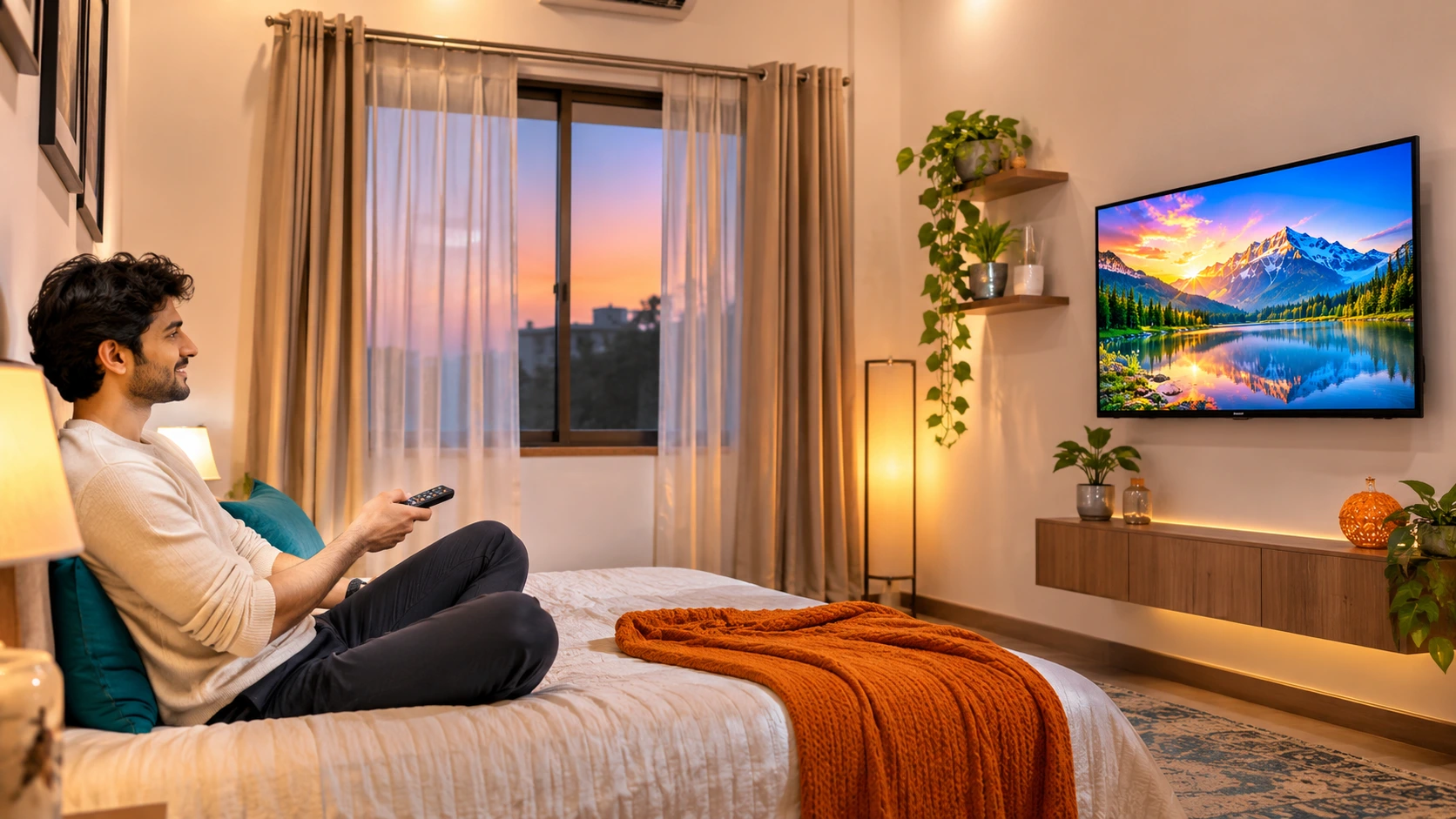
- The TV is 24 to 32 inches and used in a bedroom, kitchen, kids' room or guest room.
- You sit 6 feet or more from the screen.
- You mostly watch DTH channels, YouTube and regular OTT shows.
- You want to keep the budget low and spend on things that matter more, such as a smooth smart-TV interface, good sound, stable Wi-Fi and warranty.
Looking at budget options? See our best 32 inch smart TV under ₹10,000 list, or our UNICRON 24 inch smart TV review for a compact option.
07 When Full HD is worth the extra money
Spend a little more on Full HD when:
- The screen is 40 inches or bigger, where the extra pixels become easier to see.
- You sit closer than about 6 feet to a 32-inch TV, for example in a small room.
- You plan to use the TV as a monitor for a laptop or PC, or connect a gaming console.
- You read a lot of on-screen text, such as subtitles, menus and web pages.
08 What about 4K?
4K has about 4 times the pixels of Full HD. Like every resolution jump, you see the benefit mainly on large screens or from close up. [1] So for a 32 or 43 inch TV in a normal room, 4K is a "nice to have", not a must. If you are buying 50 inches or more and have the budget, 4K is worth a look.
09 Quick decision checklist
Answer these three questions
- What size is the TV? 24 to 32 inch: HD Ready is fine. 43 inch and above: go Full HD or better.
- How far will you sit? 6 feet or more on a 32-inch: HD Ready works. Closer than that: choose Full HD.
- What will you connect? Only DTH and YouTube: HD Ready. Laptop, PC or console: Full HD.
10 Our recommendation by use
| Your situation | Best pick | Why |
|---|---|---|
| 24" TV for kitchen or desk | HD Ready | Small screen, short distance, budget friendly. Choose Full HD only for PC use. |
| 32" TV in bedroom (6 ft+) | HD Ready | You won't notice a big difference from this distance. |
| 32" TV used close or with a PC or console | Full HD | Text and game graphics look crisper from a short distance. |
| 40" to 43" living room TV | Full HD | Bigger screen, so extra pixels matter. Most models already offer it. |
| 50" and above | Full HD minimum, 4K if budget allows | Large screens show resolution differences more clearly. |
Still confused? Our 5 things to check before buying a smart TV covers the other points that matter just as much, like ports, apps, sound and warranty.
Ready to choose? At Tanish Electronics you can find HD Ready and Full HD smart TVs in different sizes, all genuine products with warranty support, COD and free shipping. Not sure what suits your room? Message us and we will help you pick.
🛒 Browse Smart TVs at Tanish Electronics →11 Frequently Asked Questions
Is HD Ready or Full HD better for a 32-inch TV?
Full HD has more pixels, but on a 32-inch TV watched from 6 feet or more, most people will not see a big difference. HD Ready is enough for a bedroom or kitchen. Choose Full HD if you sit very close or use the TV with a PC or console.
What is the resolution of HD Ready and Full HD?
HD Ready is usually 1366 × 768 pixels (some small TVs use 1280 × 720). Full HD is 1920 × 1080 pixels, which is about twice as many pixels.
Can an HD Ready TV play 1080p videos?
Yes. It plays them normally, but scales the picture down to its own screen resolution, so you do not get the extra Full HD detail.
Is Full HD worth it for a 24-inch TV?
Usually not for watching TV from a normal distance. It is worth it only if you will use the 24-inch TV as a computer monitor, where text sharpness matters.
Is HD Ready enough for YouTube and OTT apps?
Yes, HD Ready works fine for YouTube and OTT apps. The video quality you get also depends on your internet speed and, on some apps, your subscription plan.
Should I buy Full HD or 4K in 2026?
For 32 to 43 inch TVs in a normal room, Full HD is enough for most people. If you are buying 50 inches or more and your budget allows, 4K is worth considering because large screens show the extra detail better.
12 References
- [1] RTINGS.com: What Is TV Resolution? (resolution, screen size and viewing distance).
- [2] Digital Trends: 720p vs 1080p: Can you tell the difference between HDTV resolutions?
- Distances in Fig 2 are our own calculation using the standard visual-acuity rule (about 1 arcminute for 20/20 vision) applied to the pixel size of a 1366 × 768 panel.